
All the openness. None of the assembly.
Start FreeSimple Setup
Deploy in minutes
Global Access
Use from anywhere
Expert Support
Chat, email, and consulting available
Grafana Labs was named a Leader in the 2026 Gartner Magic Quadrant for Observability Platforms, its third consecutive year, and placed furthest for Completeness of Vision for the second year running (source, verified 2026-08-18), with 76,000+ GitHub stars (source, verified 2026-08-18) and the most respected open-source observability ecosystem in the industry. We respect that. This page is an honest look at where DeepCube takes a different approach, where Grafana excels, and how you can evaluate both with the same production data.
DeepCube is the product; spatial observability is the category. We are not an APM company, we are a spatial observability company.
Six tools. Six configurations. One observability goal.
Source: grafana.com/oss (Grafana, Loki, Tempo, Mimir, Pyroscope, Alloy shipped as separate projects)
The Assembly Required Problem
Six tools. Six configurations. One observability goal.
- Loki, Tempo, Mimir, Pyroscope, Alloy, Grafana: Grafana ships these as six separate open-source projects, each with its own repository and release train. Self-host and assembling them into one platform is your job.
- Assembly tax: configuration, upgrades, scaling, cross-signal correlation, and on-call for the monitoring system itself.
- Platform engineering bandwidth: for teams that need to ship features, not manage observability infrastructure, the assembly tax is real.
- Self-hosting also reduces the AI, and Grafana says so: "Core chat, dashboarding, querying, and navigation workflows remain available, while Grafana Cloud-dependent features such as investigations, infrastructure memory, and Grafana Cloud MCP connections are hidden" (source, verified 2026-08-19). The open-source path and the full Assistant are not the same product.
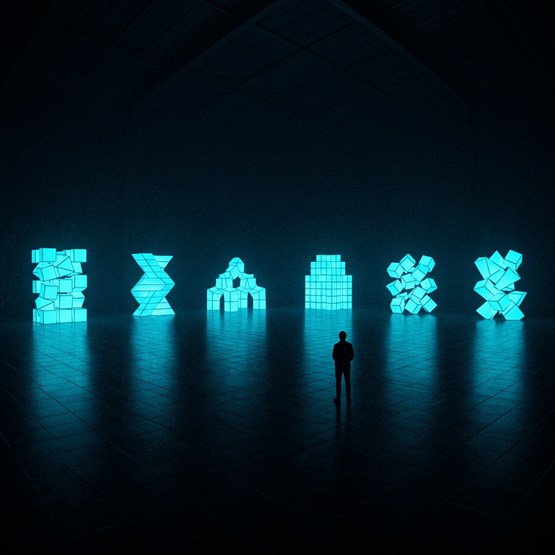
All the openness. Zero assembly required.
What If It Came Assembled?
One platform. Fully managed. Still OTel-native.
- Same commitment to open standards: no proprietary agents, no vendor lock-in. Your OTel instrumentation works with any compatible backend.
- Single, managed platform: traces, metrics, logs, AI, and 3D topology in one product, not six tools you wire together.
- What a dashboard does not give you: an investigation surface you move through in 3D, and Tessa, an AI assistant included in the per-node price that works from that view into your code.
- Phantoms: when a call goes out and nothing ever reports back from the other side, or a consumer goes quiet while messages keep arriving, DeepCube draws the missing side where it should be, so what is missing shows up in the space instead of as a quiet gap on a chart.
One platform. Not six tools wired together.
Architecture: How We Differ
Unified platform vs composable stack.
DeepCube and Grafana share the same commitment to open standards and OpenTelemetry. The difference is what happens after data ingestion. Grafana gives you the best dashboards in the industry. DeepCube gives you a 3D spatial environment where your services, relationships, and telemetry live together, plus an AI assistant that can diagnose issues and fix your code.
Grafana Cloud is fully managed, and we will not pretend otherwise. The assembly does not disappear, it moves to the invoice: Grafana Cloud is sold as 17 separately priced product lines, each with its own meter and its own free-tier limit, and you decide which ones to turn on (source, verified 2026-08-19). Each meter carries its own independent free limit, for example 50 GB of logs per month, 2,232 Application Observability host hours, 3 active visualization users and 3 active AI users, so the free tiers do not pool. DeepCube is one platform at one per-node price, and there is nothing to select.
| Aspect | DeepCube | Grafana |
|---|---|---|
| Platform Model | Unified managed platform | LGTM stack (Loki + Grafana + Tempo + Mimir + Pyroscope + Alloy) |
| Instrumentation | Standard OpenTelemetry SDKs only | OpenTelemetry-native (Alloy, plus Beyla, now Grafana's distribution of upstream OpenTelemetry eBPF Instrumentation) |
| Visualization | 3D spatial topology | 2D dashboards (industry-leading flexibility) |
| Vendor Lock-in | None. Change one endpoint URL to leave. | None. Open-source components, standard APIs. |
| Operational Burden | Fully managed SaaS | Self-managed (OSS) or Grafana Cloud (managed) |
| Community | Growing | 76,000+ GitHub stars, massive ecosystem (source, verified 2026-08-18) |
Tessa starts from the spatial view. You review the fix. You own it.
| Capability | Tessa (DeepCube) | Grafana Assistant |
|---|---|---|
| Codebase Access | Full workspace: read, search, rename, modify | Indirect on the generally available surfaces, and Grafana describes both that way. gcx: "gcx is a single CLI that allows you and your AI coding agent structured access to both Grafana (dashboards, folders, alert rules, data sources) and Grafana Cloud products" (source, verified 2026-08-19). The MCP server: "The Grafana Cloud MCP server is a remotely hosted Model Context Protocol (MCP) server that lets external AI agents connect directly to your Grafana Cloud data" (source, verified 2026-08-19). Both point outward at an agent you already own (GA 2026-07-28, source, verified 2026-08-18). The exception is preview-only: the Assistant desktop app (private preview since 2026-07-31) "can work with your local file system, your code, and your other tools" (source, verified 2026-10-10) |
| Production Context | 3D topology + traces + metrics | Metrics, logs, traces, and profiles across Grafana Cloud, with cross-signal correlation and hypothesis testing via Assistant Investigations (GA 2026-07-29) (source, verified 2026-08-19). Grafana defines the deliverable itself: an investigation "forms hypotheses, dispatches sub-agents to prove or disprove them against your telemetry, and produces a structured report with findings, supporting evidence, and recommended next steps" (pricing FAQ, verified 2026-08-19) |
| Code Fixes | Available on every plan. Tessa traces the issue to the source file in your connected workspace and proposes the change. You review the change and own the outcome. | No generally available first-party code-fix flow. Grafana's self-managed capability list reads, in full: "Chat and prompt-based assistance / Dashboard creation and editing / Query generation and explanation / Navigation across Grafana resources / Rules, quickstarts, and skills / MCP server integrations" (source, verified 2026-08-19). Assistant Skills (GA 2026-03-17) plus auto-approve let users build runbooks that connect to external tools; Grafana's own example is "raising a PR in GitHub or GitLab" via a user-configured pipeline calling GitHub, not an out-of-the-box code-writing agent (source, verified 2026-08-18). The surface to watch is the desktop app preview, which works with "your code"; Grafana says "features may change before GA" (source, verified 2026-10-10) |
| Pricing | Included in the price of every plan. No AI seat or add-on required, no per-query AI meter. Model quality scales with the plan. | $20.00/active AI user/month at 1-25 users, $18.25 at 26-50, $17.00 at 51+, each seat including 40M tokens with overage at $2 per 1M; Enterprise is custom with a "Minimum commit of $25,000 per year". Note what counts as a seat: "Connecting through the Cloud MCP server also counts as active use", so pointing your own coding agent at Grafana bills an AI user (source, verified 2026-10-10) |
| Spatial Context | 3D topology-aware diagnosis | Grafana Cloud Knowledge Graph "automatically discovers your services, infrastructure, and their relationships from telemetry data" and renders an entity graph of dependencies plus an RCA workbench (source, verified 2026-08-19). It is now the default: "New Grafana Cloud organizations get Grafana Application Observability powered by the Grafana Cloud Knowledge Graph automatically" (source, verified 2026-10-10), and its "Show all entities" search, added 2026-09-24, displays "a connected view of every entity in your environment", with "results are truncated for performance" in large environments (source, verified 2026-10-10). It is a 2D entity graph you filter and click through; DeepCube puts the same services, dependencies and telemetry in a space you move through |
| Accountability | Human on the loop | The terminal deliverable is a report, by Grafana's own definition: an investigation "produces a structured report with findings, supporting evidence, and recommended next steps" (pricing FAQ, verified 2026-08-19). On the generally available surfaces, Grafana Assistant can save a dashboard and does not edit your source (source, verified 2026-08-18); the desktop app preview works with "your code" (source, verified 2026-10-10) |
AI: Tessa vs Grafana Assistant
Human on the loop.
Tessa connects the telemetry of the environment you are viewing to your connected codebase. Add your repositories as workspaces, and Tessa traces a production issue from the 3D topology straight to the source file, then makes the fix.
Tessa works in your workspace, in your developer's local checkout. You review the changes. Tessa does the work; you own the outcome.
Grafana's equivalent surface holds a different set of things. "Grafana Assistant Workspace is a full-page Assistant experience", and its context picker takes "data sources, labels, metrics, dashboards, entities, and skills" (source, verified 2026-08-19). A repository is not on that list for the web Workspace. Grafana is moving toward your code on a separate surface: the Grafana Assistant desktop app, in private preview since 2026-07-31, "can work with your local file system, your code, and your other tools alongside all your data in Grafana Cloud", and Grafana says "features may change before GA" (source, verified 2026-10-10). The older Assistant CLI that reached local files is being retired: "Grafana Assistant CLI is deprecated and will be removed in a future release. Use gcx instead", and its file reach was read-only by design, "Run the tunnel so Assistant can read local project files and, optionally, run approved shell commands on your machine" (source, verified 2026-08-19).
Grafana Assistant helps you write queries, understand anomalies, and investigate incidents within the Grafana dashboard. Valuable for teams who live in Grafana, and Grafana scopes it themselves: "Grafana Assistant brings a purpose-built LLM to Grafana so operators, developers, and SREs can troubleshoot issues, manage dashboards, and answer product questions in minutes" (source, verified 2026-08-19). It does reach a codebase, through the gcx CLI and an MCP server, but Grafana's own pricing FAQ puts the code reasoning on your side of the line: when your own coding agent uses gcx or the Cloud MCP server to query Grafana, "the reasoning happens in your agent's model, and no Grafana AI tokens are consumed" (source, verified 2026-10-10). On the generally available surfaces, then, the fix happens in a coding agent you bring; the desktop app that works with your code is still a private preview. On Cloud Pro it costs $20/active AI user/month on top of your existing Grafana costs, with the first 3 users free, and it is included on Grafana Cloud's free plan. Tessa is in the price of every DeepCube plan with no AI seat required and no per-user AI charge, and goes from diagnosis to code fix in one conversation.
One price. Everything included.
Pricing: The Full Picture
Scenario: 40 nodes, 10 engineers.
Grafana Cloud's pricing appears transparent, but the multi-dimensional billing model (per-signal, per-user, per-feature) adds up. Here is what a production deployment looks like.
- What the premium buys: In this scenario DeepCube ($1,575 on Analyze with volume pricing) runs about 33% above Grafana Cloud Pro ($1,182.50), a gap of $392.50 a month. That gap buys a different class of product: a 3D spatial investigation surface, phantoms for what stops reporting, Tessa's allowance as part of the node price with no per-token billing, and one platform at one per-node price, versus dashboards plus separately metered products. We show the full math below so you can judge the trade for yourself.
- No per-user fees: DeepCube's platform and its built-in AI assistant are priced per node, not per user. Grafana charges $8/user for visualization and $20/user for AI separately, each with the first 3 active users free (source, verified 2026-10-10).
- Predictable billing: DeepCube's per-node pricing means your bill does not fluctuate with data volume. Grafana Cloud bills per GB across logs, traces, and profiles.
- No operational burden: Self-hosted Grafana is free to download, not free to operate. DeepCube is fully managed with the same OTel portability.
- Investigations add a token meter: "Investigations are billed by the tokens they consume - there is no per-investigation or per-seat charge." The ones you start count toward each AI user's 40M-token monthly allowance, the ones alerts and incidents trigger count toward a 25M-token monthly system pool, and "Beyond your included allowances, additional tokens are billed at $2 per 1M" (source, verified 2026-10-10). Tessa's allowance is part of DeepCube's node price, with no per-token billing.
- One more meter, not one more subscription: Grafana sells Investigations with "No separate subscription - pay only for the tokens investigations consume" (source, verified 2026-10-10). The AI bill is seats plus tokens; DeepCube's is the node count.
- Connecting your own agent bills a seat: "Connecting through the Cloud MCP server also counts as active use", so the integration that keeps the reasoning in your model still consumes a $20 AI user (source, verified 2026-10-10).
| Line Item | DeepCube | Grafana Cloud Pro |
|---|---|---|
| Platform Fee | Included | $19/month (source, verified 2026-10-10) |
| Application Observability (40 hosts) | Included | $0.025/host-hr, which Grafana prints as "$18/host" (about $18.25 at 730 hours a month); this scenario uses the published $18/host figure, so $18 x 40 = $720. That is the current published rate, and it applies to customers who started on or after 2026-02-13, who "pay for host hours plus telemetry, with no telemetry credits", so telemetry beyond the logs line below bills on top. Customers who started earlier "pay a higher host hour rate that includes telemetry credits"; Grafana does not print that rate (pricing, Application Observability pricing, verified 2026-10-10) |
| Logs (500 GB/mo) | Included | $0.55/GB x 450 GB (after free 50 GB) = $247.50 (source, verified 2026-10-10) |
| Visualization (10 users) | Per node, not per user | $8.00/active user/mo at 1-25 users ($7.25 at 26-50, $6.80 at 51+), first 3 free, x 7 billable = $56 (source, verified 2026-10-10) |
| AI Assistant (10 users) | Included (Tessa) | $20.00/active AI user/mo at 1-25 users, first 3 free, x 7 billable = $140 (source, verified 2026-10-10) |
| Estimated Monthly Total | $1,575 (Analyze, with volume pricing: (25 x $45) + (15 x $30)) | $1,182.50+ ($19 + $720 + $247.50 + $56 + $140; varies with data volume) |
Grafana Cloud pricing based on Pro tier rates from grafana.com/pricing, verified as of 2026-10-10. Premium arithmetic: $1,575 minus $1,182.50 = $392.50 a month, and $392.50 / $1,182.50 = 33%. Actual costs vary by data volume and active users. Self-hosted Grafana is free but excludes operational costs. DeepCube pricing from deepcube.ai/pricing. All prices USD. Logs billed as a 3-part composite: $0.05/GB process + $0.40/GB write + $0.10/GB retain = $0.55/GB total.
You don't have to rip and replace
Run Both. Migrate Gradually.
Same telemetry, two destinations, zero re-instrumentation.
- Dual-destination: Your OTel Collector fans out telemetry to both DeepCube and Grafana simultaneously.
- Both platforms are OTel-native: migration is straightforward. Add an exporter, see your data in DeepCube's 3D topology, and decide which experience your team prefers.
- Keep your Grafana dashboards: DeepCube adds spatial topology and AI on top. You do not have to abandon existing dashboards.
- Exit guarantee: If DeepCube is not right for you, change one endpoint URL. Your instrumentation stays exactly the same.
Dual-Destination Collector Config
exporters:
  otlp/deepcube:
    endpoint: "https://otlp.deepcube.ai"
    headers:
      API-Key: "YOUR-API-KEY"
  otlp/grafana:
    endpoint: "otlp-gateway-prod-us-central-0.grafana.net:443"
    headers:
      Authorization: "Basic ${GRAFANA_CLOUD_TOKEN}"

service:
  pipelines:
    traces:
      exporters: [otlp/deepcube, otlp/grafana]
    metrics:
      exporters: [otlp/deepcube, otlp/grafana]
Standard OTel Collector config. Same telemetry, two destinations.
Ready to See the Difference?
Start free with DeepCube. Your OTel instrumentation just works.
Start FreeAlways-On Demo
Running right now, unscripted, and nobody started it for you. It is one of our live grids, not a customer's system, but nothing about it is staged: we point chaos at it and hunt the gap live. Watch for a minute, send it to whoever is on call with you, or scroll on and go play with one yourself.
That's our side of it. Now go try the alternative.
See what our customers are saying
Testimonial from the US Defense Information Systems Agency (DISA/disa.mil) talkWatch the testimonial from the DISA TEM talk | Request the full DISA TEM talk video
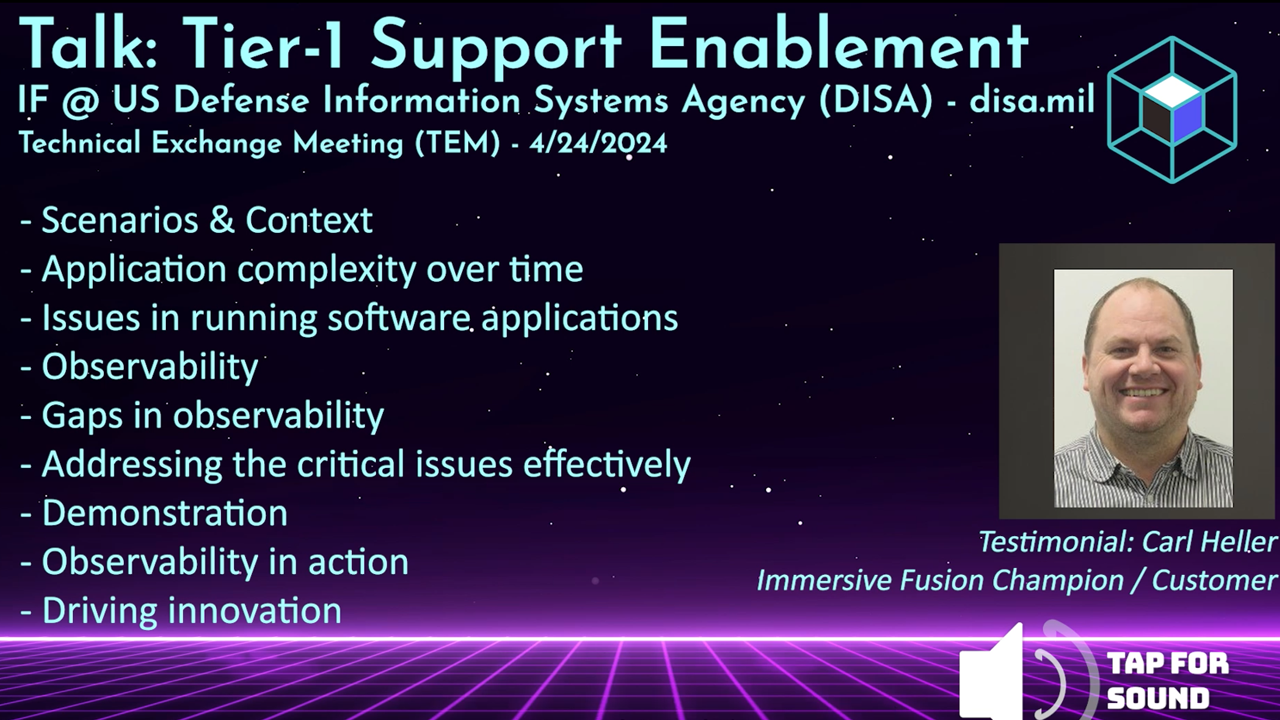
The Better Way to Monitor and Manage Your Software
Streamlined Setup
Simple integration
Cloud-native and open source friendly
Rapid Root Cause Analysis
Intuitive tooling
Find answers in a single glance. Know the health of your application
AI Powered
AI Assistant by your side
Unlock the power of AI for assistance and resolution
Intuitive Solutions
Conventional and Immersive
Expert tools for every user:
DevOps, SRE, Infra, Education