
Observability should be simple, not an infrastructure project.
Start FreeSimple Setup
Deploy in minutes
Global Access
Use from anywhere
Expert Support
Chat, email, and consulting available
Elastic Observability is built on Elasticsearch, one of the most powerful search engines ever created. But on self-managed and Elastic Cloud Hosted, that power comes with operational weight: cluster management, node sizing, shard allocation, index lifecycle policies, hot-warm-cold-frozen tier configuration. Before you investigate your first production issue, you are running an infrastructure project. Engineering teams should spend their time understanding their systems, not managing the platform that monitors them.
Observe your system. Not your observability platform.
The Infrastructure Project Problem
A search engine adapted for observability, not built for it.
- Cluster management: node sizing, shard allocation, index lifecycle policies, hot-warm-cold-frozen tier configuration.
- Operational overhead before you investigate your first production issue. You are running an infrastructure project.
- Observability should be a tool you use, not a system you operate.

No clusters. No shards. Just your system.

What If Observability Just Worked?
No clusters. No shards. No ILM policies. Just your system.
- Managed platform: Point your OpenTelemetry Collector at our OTLP endpoint and your system appears as a spatial topology.
- Services, dependencies, and telemetry in a single 3D environment. No infrastructure to manage.
- Your engineers focus on their systems. We handle the observability platform.
- Phantoms: when a call goes out and nothing ever reports back from the other side, or a consumer goes quiet while messages keep arriving, DeepCube draws the missing side where it should be, so what is missing shows up in the space instead of as a quiet gap on a dashboard.
Zero clusters. Zero shards. Full observability.
Architecture: How We Differ
OpenTelemetry exclusive vs Elastic Agent.
DeepCube is built exclusively for observability. No cluster management, no shard allocation, no ILM policies to configure. Your engineers spend time understanding their systems, not operating the platform that monitors them.
Elastic has 550+ integrations (source, verified 2026-08-19), unmatched search and query capabilities for log analysis, and a flexible data platform that spans observability, security, and enterprise search. ES|QL and Elasticsearch's full-text, semantic, and vector search are genuinely world-class for ad hoc log investigation. For teams deeply invested in the Elastic ecosystem, the breadth of the platform is a genuine advantage.
Elastic is also candid about what its OpenTelemetry-native path gives up against its own classic stack, and it is worth reading before you count integrations. Their compatibility page states that "Many prebuilt Elastic integrations and dashboards are designed for ECS-formatted data and may not work as expected with the OpenTelemetry semantic conventions without customization", that its OTel-native browser instrumentation, EDOT Browser, is "in technical preview", so "continue using the classic Elastic APM browser agent for production RUM", that Universal profiling "is currently only supported in the classic stack", and that "Elastic OpenTelemetry does not provide managed TBS" (source, verified 2026-10-10).
| Aspect | DeepCube | Elastic Observability |
|---|---|---|
| Instrumentation | Standard OpenTelemetry SDKs only | Elastic Agent (proprietary) + OTel support |
| Data Ingestion | Direct OTLP (gRPC + HTTP) | Elastic Agent, APM Server, or OTLP |
| Visualization | 3D spatial topology | Kibana dashboards, charts, maps, plus a 2D APM Service Map, which Elastic 9.5 carries into dashboards ("Adds the APM Service Map as a dashboard embeddable panel") and alerts ("Adds an APM Service Map preview to the Observability Alerts page for service topology context") (release notes, verified 2026-10-10). Elastic's own map controls offer a choice between "Horizontal and Vertical" layout (source, verified 2026-08-19) |
| Operational Overhead | Fully managed SaaS | Self-managed and Cloud Hosted: cluster management, shard allocation, ILM policies. Serverless removes these, but its entry Logs Essentials tier leaves out "Machine learning", "Unified agentic AI and scripted workflow automation" and the "Fully curated experiences for analysis of logs, metrics, traces, and synthetic tests"; those are Observability Complete only (pricing, verified 2026-10-10) |
| Integrations | OTel ecosystem (community-driven) | 550+ out-of-the-box integrations (source, verified 2026-08-19). Elastic qualifies that advantage itself for an OTel-first buyer: prebuilt integrations and dashboards "may not work as expected with the OpenTelemetry semantic conventions without customization" (OTel limitations, verified 2026-08-19) |
| Search / Query | Structured queries + spatial navigation | ES|QL, KQL, full-text, vector, semantic search |
Tessa starts from the spatial view. You review the fix. You own it.
| Capability | Tessa (DeepCube) | Elastic Agent Builder (GA 2026-01-22) |
|---|---|---|
| Codebase Access | Full workspace: read, search, rename, modify | None first-party, and Elastic draws that boundary in its own documentation: "Tools can be thought of as functions: modular, reusable actions that agents can call to interact with your Elasticsearch data", and "Tools enable agents to work with Elasticsearch data" (tools, verified 2026-08-19). The built-in catalog lists dozens of tool ids across the platform, workflows, streams, security and observability namespaces, and not one names a repository, a commit or a source file (built-in tools reference, verified 2026-10-10). Their MCP server runs outward by their own description: it "provides a standardized interface for external MCP hosts to access Elastic Agent Builder tools. For example, you can run an ES|QL query against your data from Claude Desktop without opening Kibana" (source, verified 2026-08-19) |
| Spatial Context | 3D topology + traces + metrics | Kibana dashboards and ES|QL queries, plus a real service topology: Agent Builder ships observability.get_service_topology, which "Retrieves the service topology (dependency graph) for a service, including RED metrics (latency, throughput, and error rate) per connection", inside a family Elastic scopes as "Observability tools provide specialized capabilities for monitoring applications, infrastructure, and logs" (built-in tools reference, verified 2026-08-19). The rendered Service Map is 2D and, by Elastic's own caveat, incomplete: "if a service isn't instrumented, or a traceparent header isn't being propagated to it, distributed tracing will not work, and the connection will not be drawn on the map" (service map, verified 2026-08-19). A dependency graph, not a space you can move through |
| Code Fixes | Available on every plan. Tessa traces the issue to the source file in your connected workspace and proposes the change. You review the change and own the outcome. | No code-fix flow, and Elastic states the direction of travel itself. Its agent-skills program ships "official, open-source skill packages that help AI coding agents work with the Elastic stack", which "give agents like Claude Code, Cursor, GitHub Copilot, and others the specialized knowledge they need to perform Elastic-specific tasks more accurately and efficiently" (source, verified 2026-08-19). Your coding agent learns Elastic; Elastic does not reach your repository |
| Availability | Included in the price of every plan. No AI seat or add-on required, no per-query AI meter. Model quality scales with the plan. | Enterprise tier only on Cloud Hosted, and Elastic states that tier as a floor rather than a price: "As low as $184 per month" (tier matrix, pricing, verified 2026-08-19) |
| Focus | Diagnosis + code fix with spatial context | Query generation + natural language search |
| Accountability Model | Human on the loop: Tessa does the work, you own the outcome | Human in the loop is parity here. Agent Builder uses human-in-the-loop prompts for actions inside Elastic, and Elastic 9.5 added Workflows steps to "approve, reject, or submit structured input" in Kibana or through signed links and Slack notifications (Kibana release notes, verified 2026-10-10). The prompts are scoped: "Human-in-the-loop prompts work only in interactive Elastic Agent Builder conversations", and "A sub-agent execution cannot collect a response to these prompts" (source, verified 2026-10-10) |
AI: Tessa vs Elastic Agent Builder
Human on the loop.
Tessa connects the telemetry of the environment you are viewing to your connected codebase. Add your repositories as workspaces, and Tessa can trace a production issue from the 3D topology straight to the source file. Tessa accesses your connected codebase workspace, diagnoses from 3D topology, makes the fix. You review, you own it. Human on the loop.
Elastic's AI Assistant is query-focused, and Elastic scopes it that way itself: "The AI Assistant is an integration with a large language model (LLM) that helps you understand, analyze, and interact with your Elastic data", and the visualization it offers is "Create time-series charts and distribution graphs from your Elasticsearch data" (source, verified 2026-08-19). It is also now deprecated, with the Elastic AI Agent as its stated replacement. Valuable capabilities, but on self-managed and Elastic Cloud Hosted subscriptions they are gated to the Enterprise tier ($184/mo; entry pricing starts at $99/mo Standard) (tier gating: elastic.co/subscriptions; price: elastic.co/pricing/cloud-hosted; both verified 2026-10-10). Elastic Cloud Serverless tiers differently: there the Elastic Managed LLM is scoped to Observability Complete projects and metered per token. Elastic's route to your code runs through a coding agent you bring (see Code Fixes). AI that works in your code is common now, and Tessa does it too; the difference is where Tessa starts, the spatial view of your running system, and that it is in the per-node price.
Note: Elastic Agent Builder, generally available since 2026-01-22 ("Agent Builder is now GA", Elastic Search Labs, verified 2026-10-10), is now the strategic direction; the original Elastic AI Assistant is now deprecated, and Elastic's own docs banner reads "The Elastic AI Agent is now the default chat experience"; both are Enterprise-gated. Agent Builder and Workflows are metered on Serverless: 10,000 executions free, then as low as $0.025 and $0.0108 per execution respectively, and both are available only on Observability Complete projects (source, pricing, verified 2026-08-19).
One per-node price. AI in every plan.
Pricing: The Full Picture
Scenario: 40 nodes, 10 engineers.
Elastic's pricing model combines resource-based cloud pricing with tier-gated features. Here is what a realistic deployment looks like when you need AI and full observability:
- AI is not tier-gated: Tessa is in the price of every DeepCube plan, including the free Start tier; higher plans add capacity, model quality and features. On Elastic Cloud Hosted, Elastic gates anomaly detection and supervised-learning ML to Platinum ($131/mo) and the AI Assistant to Enterprise ($184/mo) (tier matrix, pricing, verified 2026-10-10).
- No multi-dimensional billing: DeepCube charges per node. Elastic bills across GB ingest and GB retention on Serverless (or instance RAM-hours on Cloud Hosted), egress, LLM tokens, synthetic test runs, cross-project search, and per-execution Agent Builder ($0.025) and Workflows ($0.0108) charges (effective 2026-05-01) (serverless pricing, hosted pricing, verified 2026-10-10).
- Support included: DeepCube support is included in every tier. On Elastic Cloud Hosted, support is tier-gated: the $99 Standard tier is web-only with a 3-business-day target response covering the Cloud platform only, and 24/7/365 support starts at Platinum ($131/mo) (pricing, verified 2026-10-10).
- Their topology view is not in the entry tier either: Elastic's own subscription matrix marks Service maps unavailable on Open Source, Basic and Gold, and available only from Platinum up (tier matrix, read from the tier JSON 2026-10-10). So the $99 Standard tier does not include the dependency map at all.
- The AI meters compute on top of the tier you already bought: "machine learning nodes automatically start when using the knowledge base and AI Assistant. Therefore using these features incurs additional costs", in Elastic's own words (source, verified 2026-08-19).
- The tier prices are floors, not prices: Elastic lists Standard, Platinum and Enterprise as "As low as" $99, $131 and $184 per month; the resource bill sits on top (pricing, verified 2026-10-10).
- Predictable math: Nodes x tier price = monthly cost. No resource calculators needed.
| Line Item | DeepCube | Elastic Observability |
|---|---|---|
| Platform (Cloud Hosted) | Included | "As low as" $99/mo (Standard tier) entry; "As low as" $184/mo (Enterprise tier, required for the AI Assistant on Cloud Hosted) (pricing, tier matrix, verified 2026-10-10) |
| Compute (Ingest + Retention) | Included | Serverless Observability is GB-priced. Logs and traces: ingest $0.07-0.09/GB, retention $0.017-0.019/GB/mo. Metrics have their own rates since 2026-07-01: on Complete, $0.023/GB ingest and $0.005/GB/mo retention (source, verified 2026-10-10) |
| Storage + Retention | Included | Usage-based storage (instance/consumption pricing) |
| AI Assistant | Included (Tessa) | Enterprise tier required on Cloud Hosted ("As low as" $184/mo), plus the ML nodes it starts (tier matrix, verified 2026-10-10) |
| ML (Anomaly Detection) | Included | Platinum+ required on Cloud Hosted ("As low as" $131/mo); anomaly detection and supervised learning (tier matrix, verified 2026-10-10) |
| Service Maps | Included (3D spatial topology) | Platinum+ required on Cloud Hosted; not available on Open Source, Basic or Gold (tier matrix, read from the tier JSON 2026-10-10) |
| Estimated Monthly Total | $1,575 (Analyze, with volume pricing) | $184/mo Enterprise base + consumption (varies widely) |
Elastic pricing based on published rates from elastic.co/pricing, verified 2026-10-10. Actual costs vary by resource consumption, tier, and deployment model. DeepCube pricing from deepcube.ai/pricing. All prices USD.
You don't have to rip and replace
Run Both. Migrate Gradually.
Same telemetry, two destinations, zero re-instrumentation.
- Dual-destination: Your OTel Collector fans out telemetry to both DeepCube and Elastic simultaneously.
- No code changes: If you already use OTel SDKs, your instrumentation does not change.
- If you use Elastic Agent: Keep Elastic Agent for legacy services. New services start with OTel + DeepCube. Migrate at your own pace.
- Keep Elastic for logs: Elasticsearch is excellent for log analysis. Use DeepCube for APM and spatial visualization while keeping Elastic for deep log search.
- Exit guarantee: If DeepCube is not right for you, change one endpoint URL. Your instrumentation stays exactly the same.
Dual-Destination Collector Config
exporters:
  otlp/deepcube:
    endpoint: "https://otlp.deepcube.ai"
    headers:
      API-Key: "YOUR-API-KEY"
  otlp/elastic:
    endpoint: "your-elastic-apm-server:4317"

service:
  pipelines:
    traces:
      exporters: [otlp/deepcube, otlp/elastic]
    metrics:
      exporters: [otlp/deepcube, otlp/elastic]
Standard OTel Collector config. Same telemetry, two destinations. No code changes required.
Ready to See the Difference?
Start free with DeepCube. Your OTel instrumentation just works.
Start FreeAlways-On Demo
Running right now, unscripted, and nobody started it for you. It is one of our live grids, not a customer's system, but nothing about it is staged: we point chaos at it and hunt the gap live. Watch for a minute, send it to whoever is on call with you, or scroll on and go play with one yourself.
That's our side of it. Now go try the alternative.
See what our customers are saying
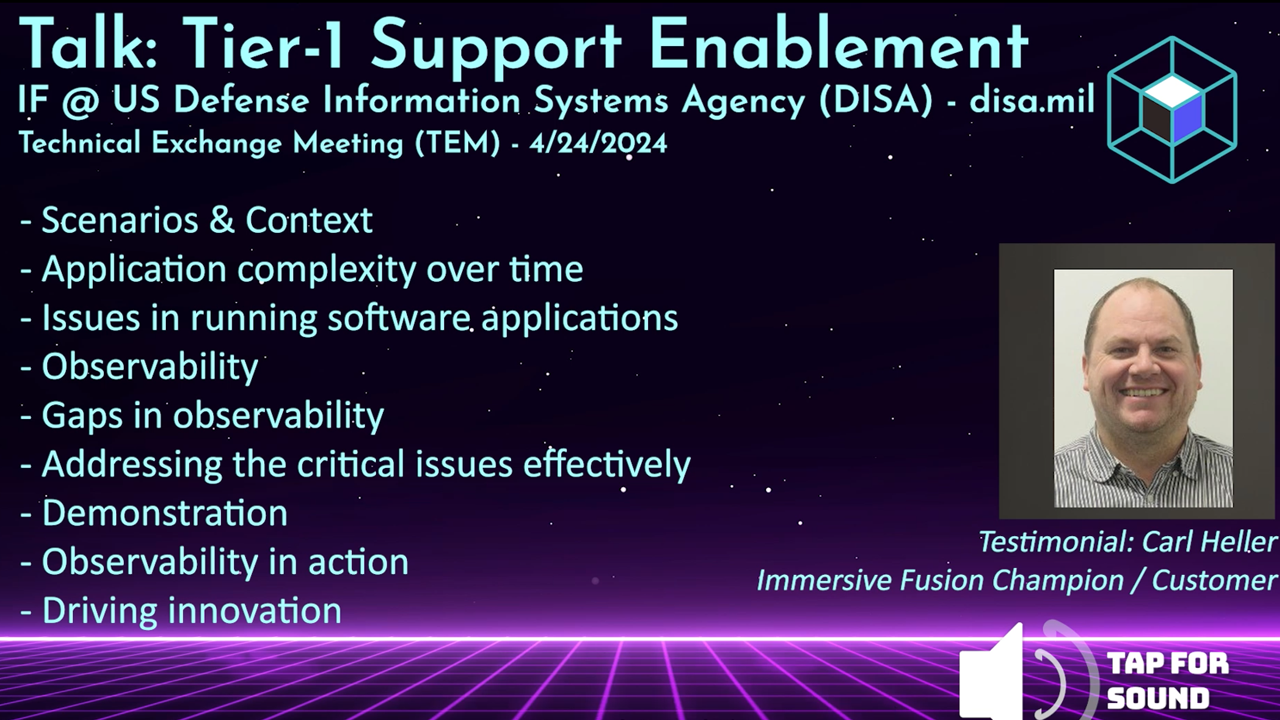
Testimonial from the US Defense Information Systems Agency (DISA/disa.mil) talkWatch the testimonial from the DISA TEM talk | Request the full DISA TEM talk video
The Better Way to Monitor and Manage Your Software
Streamlined Setup
Simple integration
Cloud-native and open source friendly
Rapid Root Cause Analysis
Intuitive tooling
Find answers in a single glance. Know the health of your application
AI Powered
AI Assistant by your side
Unlock the power of AI for assistance and resolution
Intuitive Solutions
Conventional and Immersive
Expert tools for every user:
DevOps, SRE, Infra, Education